Error in MS-Dos does not detect disk change
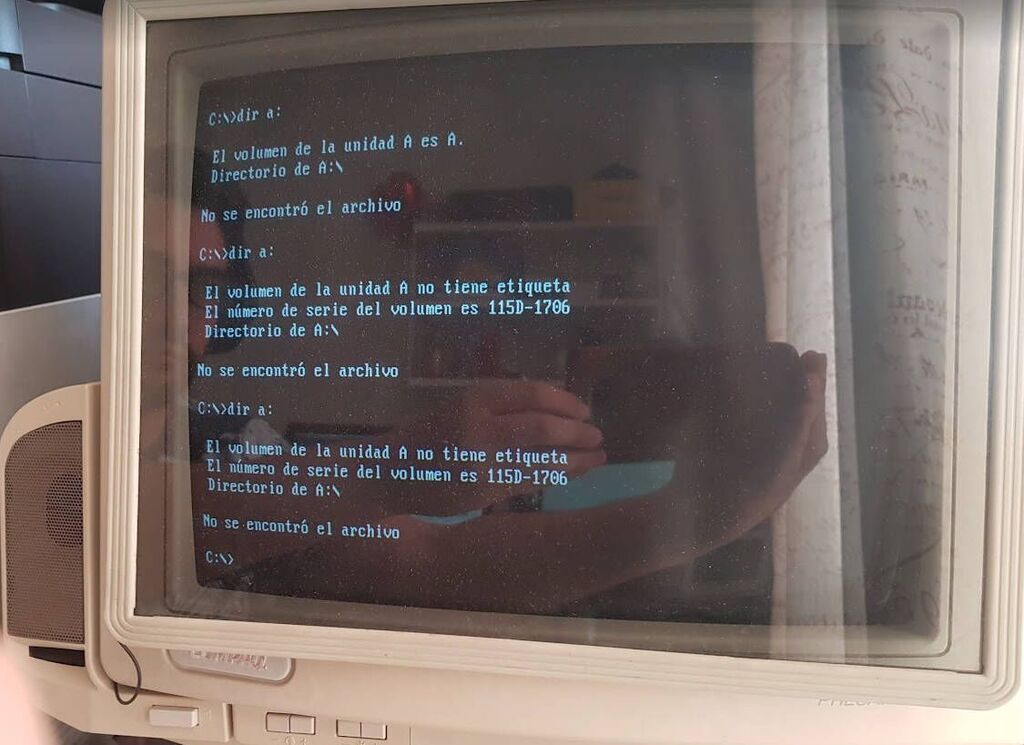
On my old IBM PS/1, ever since I got it, I had encountered a tedious problem. It turns out that when I turned it on and inserted a floppy disk—whether 3½-inch or 5¼-inch—the operating system would correctly read its contents.
But if I replaced the disk with another one and tried to read its contents again, I found that the operating system would list the same directory tree as before.
Assumptions
1) I thought it was a hardware problem. I assumed the floppy drive's sensors had issues because the computer was salvaged from a recycling center and was extremely dirty, with metallic dust due to the scrap metal they used to buy, and there was rust dust everywhere.
In this old post http://theretrocenter.com/blog/repairing-floppy-drive-sensor, I completely disassembled the floppy drive, desoldered the mechanical sensors (they worked through a switch, in contrast to most floppy drives that use optical sensors). After a thorough cleaning, I also did a head alignment adjustment.
Even after all this, the problem persisted. I tested with another floppy drive that I knew was working, so I thought the issue might be with the cable.
2) I checked the protocol documentation to understand how the disk-change logic worked.
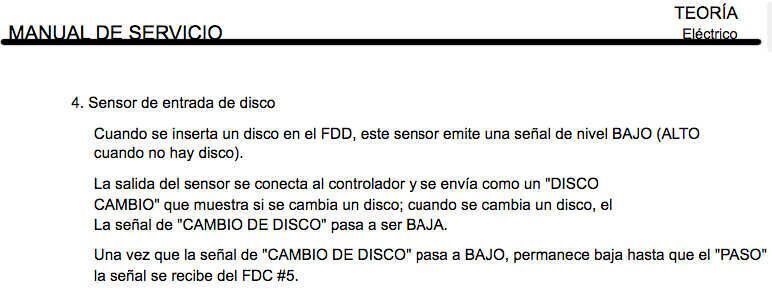
In the following manual (Brother-Dp-525), on page 63, the flow of pulses between the controller (microchip) and the drive (floppy drive) is explained.
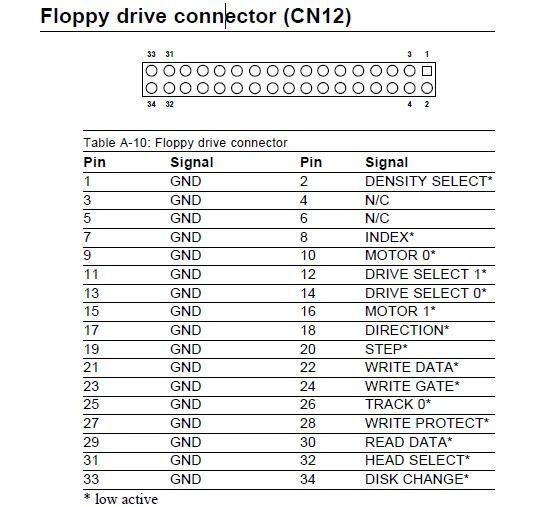
The disk-change signal is communicated via pin 34:
I took my multimeter and began testing the continuity of each of the wires, measuring both continuity and short circuits between nearby pairs. Everything was fine: the cable was in perfect condition.
After that, I used an oscilloscope to measure the signal flow on pin 34. I confirmed that the floppy drive was indeed sending the disk-change signal properly.
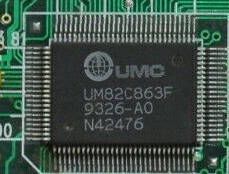
I removed the motherboard from the case and followed the signal from pin 34. After doing this, I realized that the controller chip for the floppy drive is the UM82C863F, and the disk-change signal (/DSKCHG) is correctly reaching the microchip's pin.
3) Third assumption: the previous controller microchip is damaged, and the only way to solve this is by replacing the chip or finding an ISA-interface FDD card—both of which are like searching for a needle in a haystack these days.
I accepted that the chip was faulty, and whenever I needed to install a program that required more than one disk, I would copy the files to the hard disk, reboot the PC for each disk, and then install from the hard disk—a very tedious procedure indeed.
Revenge
A year later, I was copying some disks for a friend and ran into this awful problem again. I had to reboot the system for each disk I wanted to copy.
Yes, after returning to the task and googling, I noticed that Microsoft had already documented this issue:
According to Microsoft, the error occurs because the system uses the "Volume ID" to detect the disk change. Depending on the operating system that performed the formatting, this information might be missing, causing the system to fail to detect the disk change.
Until I noticed an important detail:
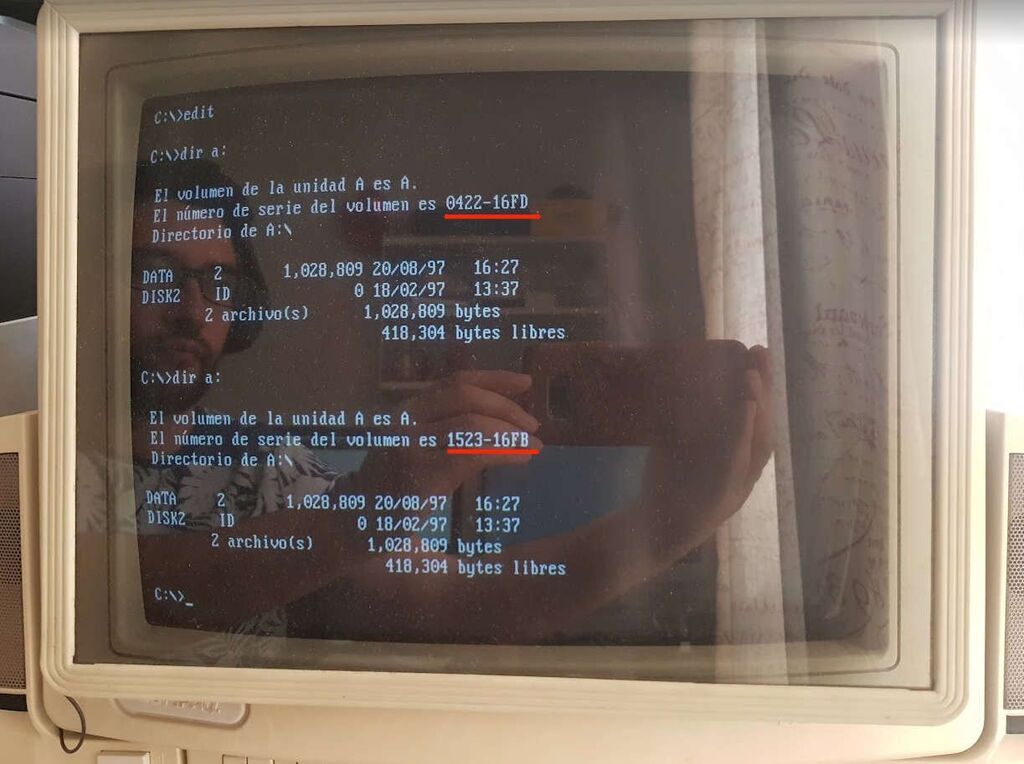
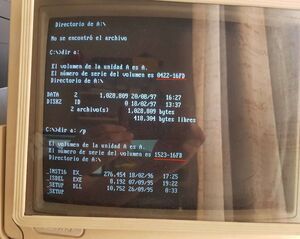
The operating system did detect the disk change—it actually showed the Volume ID correctly. However, the file listing did not update.
The error was always software-related
The logical controller was indeed telling the operating system that there was a different disk. However, for some strange reason, MS-DOS was using some sort of cache to return the same directory tree.
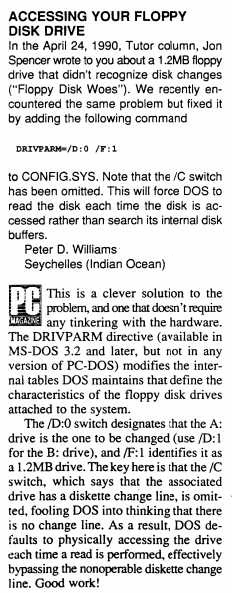
Googling again, I found this great article, lost in time:
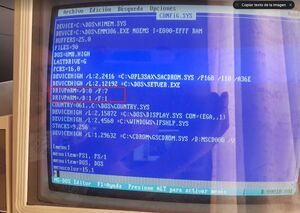
It explains that by using the DRIVPARM command, you can solve the problem. And that's exactly how I fixed it: I added the corresponding configurations to my CONFIG.SYS file:
|
| Language: Bash |
|
1 | DRIVPARM=/D:0 /F:7
2 | DRIVPARM=/D:1 /F:1
|
|
|
Conclusion
It appears that this problem only affects IBM PS/1 and PS/2 machines running MS-DOS, because I tested by installing IBM's PC-DOS, and there was no need to add this configuration. Apparently, IBM's operating system works fine, which would indicate that the issue lies in the drivers (software controllers) included with MS-DOS, creating incompatibility on these particular machines. However, it can be resolved with just a single line of text.
Comments (0)
No comments yet.